I recently sat through a webinar where Tom Capper from Search Engine Journal pointed out a critical gap in the generative AI landscape: "There's no Search Console equivalent for..." He was referring to the lack of robust, standardized, and easily accessible visibility tools for Large Language Models. And honestly, it hit home. In my own work developing AI-driven services, whether it's powering complex Discord bots or high-performance API backends, I've spent too many hours debugging LLM behavior based on educated guesses and fragmented logs. It’s like trying to optimize SEO without Google Search Console: you know something is happening, but the “why” and “how much” remain frustratingly opaque.
The current state of LLM observability is fractured. We have a smattering of commercial tools, some decent, some less so, but almost all come with a hefty subscription fee — often starting around $79/month for even basic features. For small teams, independent developers, or projects still in their experimental phase, that cost quickly becomes prohibitive. And even with the budget, these tools rarely offer the deep customization and fine-grained control I need when dealing with bespoke prompts, complex agentic workflows, or unique data requirements.
My experience is that as developers, we tend to roll our own solutions when the existing ones don't cut it. So, I did exactly that. I built a lightweight, open-source LLM observability system. It's not a full-fledged SaaS, nor does it aim to be a replacement for enterprise-grade monitoring. Instead, it’s a focused, extensible solution built with Python, FastAPI, and MongoDB that gives me the visibility I need without locking me into a monthly payment or a proprietary data format. I call it 'LLM Lens'.
The Core Problem: Why Standard Logging Isn't Enough
Traditional application logging tells you if an API call succeeded or failed, how long it took, and maybe some request/response bodies. For LLMs, this is woefully inadequate. We need to answer questions like:
- What exact prompt variations led to desired/undesired outputs?
- How many tokens were consumed for each interaction, and what was the associated cost?
- What was the latency between sending a prompt and receiving a full response?
- Which LLM models or providers perform best for specific tasks?
- Are there trends in user queries that indicate potential prompt engineering opportunities or model biases?
- Can I easily flag responses for quality, relevance, or hallucination?
Without structured data for these questions, optimizing LLM applications becomes a shot in the dark. You might try tweaking a prompt, but without a clear way to track the before-and-after metrics, you're relying on anecdotal evidence. This is particularly crucial when dealing with subtle prompt nuances, as I've explored in previous debugging sessions, such as those detailed in Debunking LLM Output Assumptions: Em-Dashes & Local Model Quirks.
LLM Lens: An Open-Source Alternative
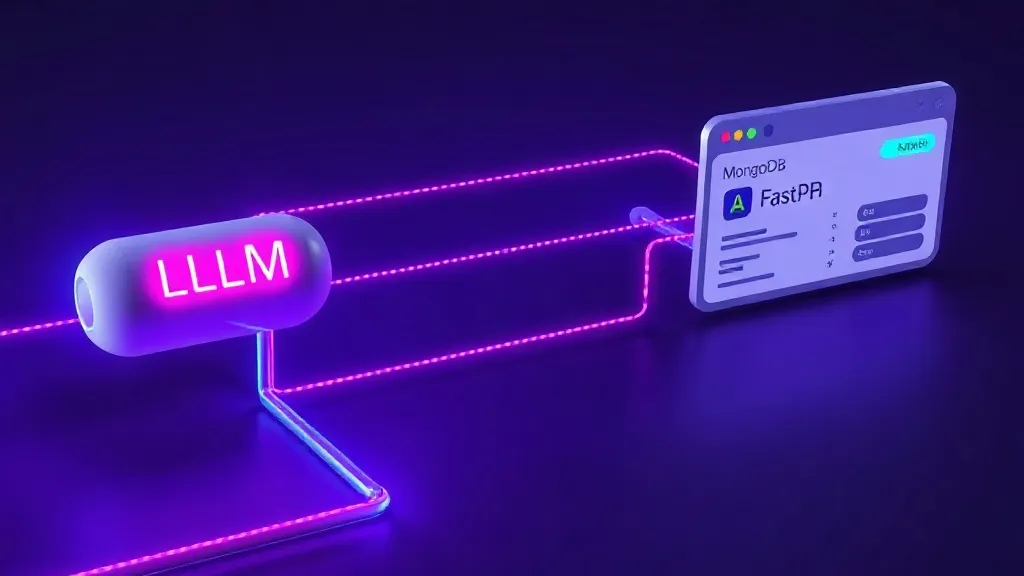
My solution, LLM Lens, is fundamentally a data collection and analysis pipeline. It's designed to be simple to integrate, flexible to extend, and entirely under your control. Here's the high-level architecture:
- LLM Proxy/Wrapper: Any interaction with an LLM (e.g., OpenAI's API, Anthropic, local models) is routed through a thin wrapper. This wrapper captures the request (prompt, model, parameters) and the response (output, token usage, finish reason).
- FastAPI Endpoint: The wrapper sends this structured data to a dedicated FastAPI endpoint. FastAPI's asynchronous nature and Pydantic validation make it an ideal choice for a high-performance, schema-driven logging service.
- MongoDB Storage: The FastAPI service persists the data into a MongoDB database. MongoDB's flexible schema (document-based) is perfect for LLM logs, as prompt formats, metadata, and model outputs can vary significantly.
- Query & Analysis: You can then query this MongoDB database directly or build simple dashboards (e.g., with Streamlit, Dash, or even just custom Python scripts) to visualize trends, costs, and performance metrics.
Under the Hood: FastAPI & MongoDB
Let's dive into some implementation details. The core of LLM Lens involves a FastAPI application to receive logs and a MongoDB database to store them. If you're new to FastAPI deployment, I highly recommend checking out my guide on Minimal FastAPI Deployment on DigitalOcean: A Developer's Guide for a quick setup.
Data Model for LLM Events
We need a robust data model to capture all relevant information. Using Pydantic, we can define a clear schema for our LLM events:
# app/models.py

from datetime import datetime
from typing import Dict, Any, Optional
from pydantic import BaseModel, Field

class LLMEvent(BaseModel):
    id: Optional[str] = Field(alias="_id") # For MongoDB ObjectId
    timestamp: datetime = Field(default_factory=datetime.utcnow)
    model_name: str
    provider: str # e.g., "openai", "anthropic", "ollama"
    prompt: str
    response: str
    input_tokens: int
    output_tokens: int
    total_tokens: int
    cost_usd: float
    latency_ms: int
    session_id: Optional[str] = None # To link multiple turns in a conversation
    user_id: Optional[str] = None
    metadata: Dict[str, Any] = Field(default_factory=dict) # For custom data

    class Config:
        arbitrary_types_allowed = True
        json_encoders = {
            datetime: lambda dt: dt.isoformat(),
            # ObjectId: str # If you plan to return ObjectId directly
        }
This schema provides a solid foundation. The metadata field is crucial for extensibility, allowing you to attach any additional context relevant to your specific application, such as agent steps, specific tool calls, or custom sentiment scores.
FastAPI Endpoint for Logging
Our FastAPI application will expose a simple POST endpoint to receive these LLM events:
# app/main.py

from fastapi import FastAPI, HTTPException, status
from pymongo import MongoClient
from pymongo.errors import ConnectionFailure
import os

from .models import LLMEvent

app = FastAPI(title="LLM Lens Logging Service")

# Configuration from environment variables
MONGO_URI = os.getenv("MONGO_URI", "mongodb://localhost:27017/")
MONGO_DB_NAME = os.getenv("MONGO_DB_NAME", "llm_lens")

# MongoDB Client
try:
    client = MongoClient(MONGO_URI)
    db = client[MONGO_DB_NAME]
    llm_events_collection = db["llm_events"]
    # Optional: Ensure index for faster queries
    llm_events_collection.create_index([("timestamp", -1)])
    print("Successfully connected to MongoDB")
except ConnectionFailure as e:
    print(f"Could not connect to MongoDB: {e}")
    # In a real application, you might want to exit or use a fallback
    # For this example, we'll let it fail later if not connected
    client = None # Ensure client is None if connection fails


@app.post("/log_llm_event", status_code=status.HTTP_201_CREATED)
async def log_llm_event(event: LLMEvent):
    if client is None:
        raise HTTPException(status_code=status.HTTP_503_SERVICE_UNAVAILABLE, detail="Database connection not established.")
    try:
        # Convert event to dict and insert, Pydantic handles validation
        event_dict = event.dict(by_alias=True, exclude_none=True)
        result = llm_events_collection.insert_one(event_dict)
        return {"message": "LLM event logged successfully", "id": str(result.inserted_id)}
    except Exception as e:
        raise HTTPException(status_code=status.HTTP_500_INTERNAL_SERVER_ERROR, detail=f"Failed to log event: {str(e)}")


@app.get("/health")
async def health_check():
    if client is None:
        raise HTTPException(status_code=status.HTTP_503_SERVICE_UNAVAILABLE, detail="Database connection not established.")
    try:
        # The ismaster command is cheap and does not require auth.
        client.admin.command('ismaster')
        return {"status": "ok", "database": "connected"}
    except ConnectionFailure:
        raise HTTPException(status_code=status.HTTP_503_SERVICE_UNAVAILABLE, detail="MongoDB connection failed.")
This setup uses environment variables for MongoDB connection details, making it easy to deploy in different environments. Remember to install fastapi, uvicorn, and pymongo: pip install fastapi uvicorn pymongo.

Wrapping LLM Calls
To integrate this, you'd typically create a wrapper function around your LLM client calls. Here's a conceptual example for OpenAI:
# llm_wrapper.py

import openai
import requests
import time
import os
from datetime import datetime

# Assuming LLMEvent and FastAPI_LOGGER_URL are defined/imported
from app.models import LLMEvent

FASTAPI_LOGGER_URL = os.getenv("FASTAPI_LOGGER_URL", "http://localhost:8000/log_llm_event")
OPENAI_API_KEY = os.getenv("OPENAI_API_KEY", "sk-YOUR_OPENAI_KEY_HERE")

def calculate_cost(model: str, input_tokens: int, output_tokens: int) -> float:
    # This is a simplified example. Refer to OpenAI pricing for accurate costs.
    # As of early 2023, for gpt-3.5-turbo (example pricing)
    pricing = {
        "gpt-3.5-turbo": {"input_per_k_tokens": 0.0015, "output_per_k_tokens": 0.002},
        "gpt-4": {"input_per_k_tokens": 0.03, "output_per_k_tokens": 0.06},
        # ... add other models
    }
    model_pricing = pricing.get(model, {"input_per_k_tokens": 0.0, "output_per_k_tokens": 0.0})

    cost = (input_tokens / 1000) * model_pricing["input_per_k_tokens"] + \
           (output_tokens / 1000) * model_pricing["output_per_k_tokens"]
    return round(cost, 6)

async def call_llm_and_log(prompt: str, model: str = "gpt-3.5-turbo", user_id: str = None, session_id: str = None, metadata: dict = None) -> str:
    start_time = time.time()
    response_text = ""
    input_tokens = 0
    output_tokens = 0
    total_tokens = 0

    try:
        client = openai.OpenAI(api_key=OPENAI_API_KEY)
        chat_completion = client.chat.completions.create(
            model=model,
            messages=[
                {"role": "user", "content": prompt}
            ]
        )
        response_text = chat_completion.choices[0].message.content
        input_tokens = chat_completion.usage.prompt_tokens
        output_tokens = chat_completion.usage.completion_tokens
        total_tokens = chat_completion.usage.total_tokens

    except Exception as e:
        response_text = f"ERROR: {e}"
        # Handle API errors gracefully, maybe log without tokens/cost

    end_time = time.time()
    latency_ms = int((end_time - start_time) * 1000)
    cost_usd = calculate_cost(model, input_tokens, output_tokens)

    event = LLMEvent(
        model_name=model,
        provider="openai",
        prompt=prompt,
        response=response_text,
        input_tokens=input_tokens,
        output_tokens=output_tokens,
        total_tokens=total_tokens,
        cost_usd=cost_usd,
        latency_ms=latency_ms,
        user_id=user_id,
        session_id=session_id,
        metadata=metadata or {}
    )

    # Send event to FastAPI logger asynchronously
    try:
        requests.post(FASTAPI_LOGGER_URL, json=event.dict(by_alias=True, exclude_none=True))
    except requests.exceptions.RequestException as e:
        print(f"Failed to send log to FastAPI: {e}")

    return response_text
This wrapper handles the API call, extracts usage data, calculates cost, and then asynchronously sends the event to your FastAPI logging service. This non-blocking approach minimizes overhead on your main application flow.
For local LLMs using frameworks like Ollama, you'd adapt this wrapper to capture the local API interaction, ensuring you still log the model name, prompt, response, and relevant metrics (though cost would be zero or based on compute usage rather than per-token API fees).
Querying and Analysis
With data flowing into MongoDB, you can start building queries. For instance, to find the average latency and cost per 1000 tokens for a specific model:
from pymongo import MongoClient

MONGO_URI = os.getenv("MONGO_URI", "mongodb://localhost:27017/")
MONGO_DB_NAME = os.getenv("MONGO_DB_NAME", "llm_lens")

client = MongoClient(MONGO_URI)
db = client[MONGO_DB_NAME]
llm_events_collection = db["llm_events"]

pipeline = [
    {"$match": {"model_name": "gpt-3.5-turbo"}}, # Filter for a specific model
    {"$group": {
        "_id": "$model_name",
        "avg_latency_ms": {"$avg": "$latency_ms"},
        "total_input_tokens": {"$sum": "$input_tokens"},
        "total_output_tokens": {"$sum": "$output_tokens"},
        "total_cost_usd": {"$sum": "$cost_usd"}
    }},
    {"$project": {
        "_id": 0,
        "model_name": "$_id",
        "avg_latency_ms": 1,
        "total_cost_usd": 1,
        "average_cost_per_1k_input": {"$cond": [
            {"$gt": ["$total_input_tokens", 0]}, # Avoid division by zero
            {"$divide": [{"$multiply": ["$total_cost_usd", 1000]}, "$total_input_tokens"]},
            0
        ]},
        "average_cost_per_1k_output": {"$cond": [
            {"$gt": ["$total_output_tokens", 0]},
            {"$divide": [{"$multiply": ["$total_cost_usd", 1000]}, "$total_output_tokens"]},
            0
        ]}
    }}
]

results = list(llm_events_collection.aggregate(pipeline))
for result in results:
    print(result)
These aggregations become powerful for identifying performance bottlenecks, cost overruns, and areas for prompt optimization. This approach of combining FastAPI with MongoDB is a pattern I've found incredibly effective, not just for observability but for building complex, data-driven applications like the smart job agents discussed in Beyond Keywords: Building Smart Job Agents with FastAPI & MongoDB.
Comparison: Commercial vs. Open Source LLM Observability
Let's put this into perspective with a quick comparison table:
| Feature | Commercial Tools (e.g., Langfuse, Helicone) | LLM Lens (Open Source) |
|---|---|---|
| Cost | Typically $79+/month, scales with usage | Infrastructure cost only (VPS, MongoDB hosting) |
| Customization | Limited to product features, API extensions | Full control over data model, metrics, UI |
| Data Ownership | Your data is stored on their servers | Your data stays on your infrastructure |
| Deployment | SaaS, zero-setup (apart from API keys) | Self-hosted, requires manual deployment |
| Integration | SDKs for popular frameworks (LangChain, LlamaIndex) | Requires custom wrappers, more hands-on |
| Alerting/Monitoring | Often built-in, advanced features | Requires integration with external tools (Prometheus, Grafana) |
| Community Support | Vendor support, active user communities | GitHub issues, developer communities, self-reliance |
| Vendor Lock-in | High, data export can be cumbersome | Low, data is in your MongoDB instance |
As you can see, the trade-off is clear: convenience for cost and control. For many developers and startups, the flexibility and cost savings of an open-source solution outweigh the initial setup effort.
Hosting Your LLM Lens
Deploying this FastAPI application and MongoDB instance is straightforward. For most scenarios, a modest Virtual Private Server (VPS) is more than sufficient. If you're looking for a robust and affordable VPS to host your FastAPI application and MongoDB instance, I consistently recommend DigitalOcean. Their Droplets offer excellent performance and flexibility, allowing you to scale as your LLM usage grows. It's where I deploy many of my personal and client projects, including high-performance FastAPI backends.
Conclusion
The lack of a "Search Console for LLMs" is a real pain point, but it's also an opportunity. By leveraging battle-tested open-source components like Python, FastAPI, and MongoDB, we can build powerful, custom observability solutions that don't break the bank. My 'LLM Lens' project demonstrates that gaining deep visibility into your LLM applications doesn't require a $79/month subscription or proprietary lock-in. It requires a clear understanding of what metrics matter, a flexible data model, and a robust API to capture the data. Take control of your LLM data, understand its behavior, and build better, more cost-effective AI applications.
FAQ
Q1: What is the performance overhead of logging every LLM call to a separate service?
A1: The overhead is generally minimal, especially if the logging is done asynchronously. By sending the log event in a non-blocking manner (e.g., using requests.post without awaiting a response, or even better, a dedicated background task queue like Celery or just a separate thread), your main LLM response flow is not significantly delayed. The FastAPI endpoint itself is highly performant. The primary latency added would be the network round-trip to your logging service, which is typically in the low milliseconds if deployed efficiently.
Q2: How should I handle sensitive data (PII, confidential information) in prompts and responses when logging?
A2: Handling sensitive data requires careful consideration. Options include: 1. Redaction/Anonymization: Implement logic in your LLM wrapper to identify and redact or anonymize sensitive fields before sending them to the logging service. This can be done using regex or more advanced NLP techniques. 2. Encryption: Encrypt sensitive fields before storage and decrypt only for authorized viewing. 3. Exclusion: For highly sensitive applications, you might choose to exclude logging the full prompt/response altogether, instead logging only metadata like token counts, model used, and a hash of the prompt for deduplication purposes. Ensure your MongoDB instance is secured with proper authentication and access controls.
Q3: Can I use a different database system instead of MongoDB for LLM Lens?
A3: Absolutely. While MongoDB's flexible schema is highly convenient for the evolving nature of LLM data, you could certainly adapt this approach for other databases. PostgreSQL with JSONB columns (e.g., using SQLAlchemy with asyncpg) would be a strong contender, offering schema flexibility within a relational context. For extremely high-volume, time-series data, specialized databases like TimescaleDB or even a simple file-based logging system (if analysis needs are minimal) could be considered. The choice depends on your specific scale, query needs, and existing infrastructure.
Q4: How can I integrate LLM Lens with popular LLM frameworks like LangChain or LlamaIndex?
A4: Integration with frameworks like LangChain or LlamaIndex typically involves creating custom callbacks or extending their existing tracing mechanisms. Both frameworks offer robust callback systems that allow you to hook into various stages of an LLM interaction (e.g., on_llm_start, on_llm_end). You would implement a custom callback handler that captures the relevant information at each stage and then sends it to your FastAPI logging service. This allows you to leverage the frameworks' capabilities while still using your custom observability backend.
Need Help with Custom APIs or Backend Systems?
I build robust, secure, and scalable backend services, databases, and microservices using FastAPI, Ktor, Node.js, and MongoDB. Let's build your server infrastructure!
Written by
Hazrat Ummar Shaikh
Android Developer with 4+ years of experience. Built production Android apps, Ktor backends, Discord bots, and SaaS products using Kotlin, Python, and MongoDB. Passionate about building robust systems and writing clean code.